
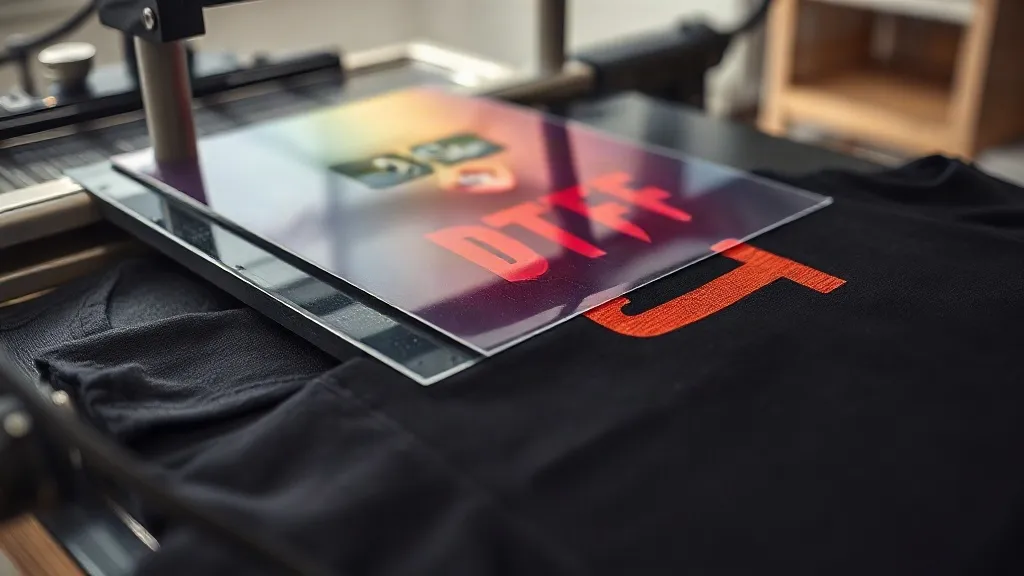
When you first start working with dtf transfers, you quickly discover their versatility. But what if you want to go beyond single-layer prints? Layering dtf transfers allows you to create intricate, multi-dimensional designs that stand out. In this guide, we'll explore how to layer transfers effectively, the challenges you might face, and how to ensure your layered prints remain durable and comfortable.
Why Layer DTF Transfers?
Layering dtf transfers isn't just about stacking images; it's about building depth and complexity. Whether you're aiming for a multi-color design that requires separate passes, adding a glow-in-the-dark effect over a base print, or creating a textured look, layering can elevate your work. However, it requires careful planning and execution to avoid common pitfalls like cracking, peeling, or excessive stiffness.
Common Scenarios for Layering
- Multi-color designs with gradients: Some designs have too many colors for a single transfer, so you split them into layers.
- Specialty effects: Adding metallic, glitter, or glow powders on top of a base print.
- High-opacity whites: Using a white base layer to make colors pop on dark garments.
- 3D textures: Building up layers to create raised effects.
Preparing Your Artwork for Layering
Before you print, you need to prepare your design with layering in mind. Not all files are suitable for layering, so consider these points:
Separate Colors into Layers
If your design has multiple colors, decide which colors will go on which layer. Typically, you'll start with a white base layer to ensure opacity, then add colors on top. Use design software to separate each color into its own layer, ensuring proper registration marks for alignment.
Consider Order of Application
The order in which you apply layers matters. Generally, you apply the base layer first, followed by details. For example, if you're adding a glow effect, apply the base color first, then the glow layer on top. However, some effects require the opposite: for a distressed look, you might apply a top layer that partially covers the base.
Test with Small Samples
Always test your layering plan on a small sample before committing to a full production run. This helps you catch issues like misalignment or poor adhesion early.
Step-by-Step Layering Process
Now, let's walk through the layering process from start to finish.
1. Print and Prepare Each Layer
Print each layer as a separate DTF transfer. Ensure that each film is properly powdered and cured. For the base layer, use a white ink layer if needed for opacity. Trim any excess film, but leave registration marks if you're using them.
2. Preheat the Garment
Preheat your fabric to remove moisture and wrinkles. This step is crucial for good adhesion, especially when layering.
3. Apply the Base Layer
Place the base layer on the garment, ensuring it's positioned correctly. Press according to the recommended settings for your transfer (typically 300-325°F for 10-15 seconds with medium pressure). Peel the film while hot or cold, depending on the transfer type.
4. Apply Subsequent Layers
Align the next layer over the base using registration marks or visual alignment. Press again. Be careful not to over-press, as excessive heat can cause the underlying layer to re-melt and distort. Use a protective sheet if needed.
5. Final Press for Durability
After all layers are applied, do a final press with a Teflon sheet or parchment paper for 5-10 seconds to ensure all layers bond together and to the fabric.
Challenges and Solutions
Layering isn't without its challenges. Here's how to tackle common issues.
Adhesion Problems
If layers don't stick, it could be due to insufficient pressure, incorrect temperature, or contaminated fabric. Ensure your press is calibrated and the fabric is clean. Also, check that each layer is fully cured before applying the next.
Stiffness and Comfort
Multiple layers can make the print feel stiff. To minimize this, use thin films and avoid unnecessary layers. Consider using a soft-hand powder for the base layer. Also, keep the total number of layers to a minimum (usually 2-3).
Color Bleed or Mixing
When layering, colors from lower layers might show through if the top layer isn't opaque enough. Use a white base layer or increase the opacity of the top layer. Also, ensure proper curing to prevent ink migration.
Registration and Alignment
Misalignment can ruin a layered design. Use registration marks on your films and align them carefully. For complex designs, consider using a jig or template.
Best Practices for Layering DTF Transfers
- Keep it simple: Limit layers to what's necessary. Too many layers increase stiffness and failure risk.
- Use quality materials: Cheap films or powder can lead to poor adhesion and durability.
- Test, test, test: Always run a sample before production.
- Document your process: Keep notes on press settings, layer order, and materials for consistency.
- Consider alternative methods: For some designs, screen printing or embroidery might be more suitable.
Frequently Asked Questions
Can I layer DTF transfers on top of each other?
Yes, you can layer DTF transfers, but it requires careful planning. Use a white base layer for opacity, press each layer according to settings, and do a final press to bond them. Keep layers to a minimum to avoid stiffness.
How many layers can I apply without compromising comfort?
Typically, 2-3 layers are manageable. Beyond that, the print may feel stiff. Use thin films and soft powders to maintain a soft hand.
What is the best way to align multiple layers?
Use registration marks printed on each film and align them visually. For precise work, create a template or jig to hold the garment and films in place.
Do I need special powder for layering?
Not necessarily, but using a fine powder for the base layer can reduce stiffness. For specialty effects, use appropriate powders (e.g., glow, glitter) on the top layer.
Can I layer DTF transfers on different fabric types?
Yes, but fabric type affects adhesion and durability. Always test on the specific fabric. Blends and synthetics may require adjusted press settings.
Layering dtf transfers near me opens up creative opportunities, but it's essential to follow best practices to ensure quality. With careful planning and testing, you can achieve stunning multi-layered designs that impress your customers.