
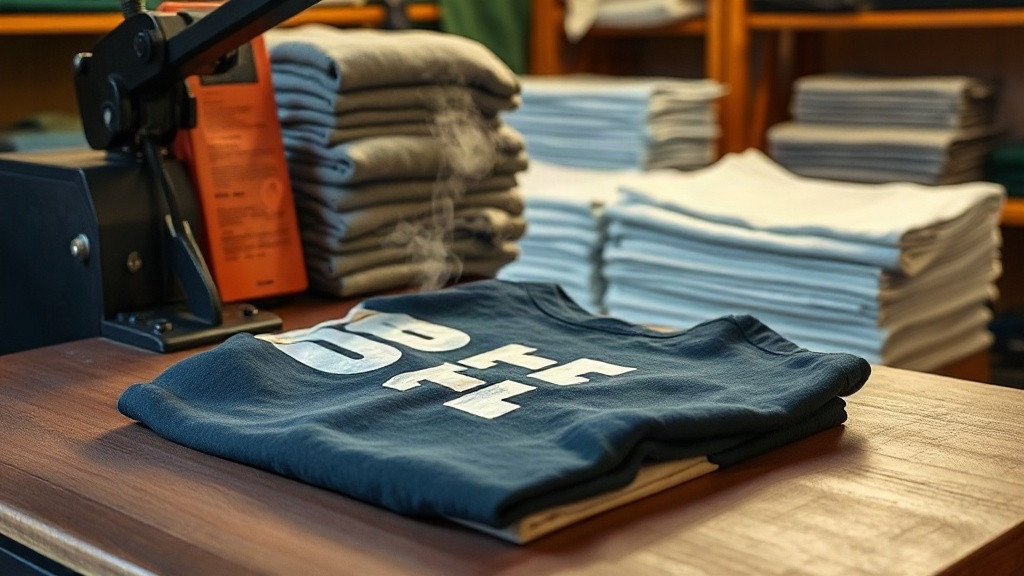
When you first try DTF transfers on a new blank, the results can surprise you. Some shirts take the ink like a dream, while others fight back with dull colors or cracked edges. I learned this the hard way after years of printing on everything from budget tees to premium blends. Two brands that consistently come up in conversations are Shaka Wear and Smart Blanks. Both have loyal followings, but they behave differently under the heat press. In this guide, I'll share what I've discovered about using DTF transfers on these blanks, so you can avoid the mistakes I made and get shop-quality results from your first press.
Why DTF Transfers Work Differently on Different Blanks
DTF transfers are not picky about color, but they are picky about fabric. The adhesive powder that melts into the shirt needs a surface it can grip. Cotton is forgiving; polyester can be tricky; blends fall somewhere in between. Shaka Wear and Smart Blanks each use distinct fabric compositions and finishes, which directly affect how the transfer adheres and how it feels after washing.
I remember pressing a detailed DTF transfer onto a 100% cotton Shaka Wear tee and being amazed by the soft hand. The same transfer on a Smart Blanks poly-blend gave a slightly crisper feel but needed lower temperature to avoid scorching. These nuances matter if you want repeatable results.
Shaka Wear: The Cotton Champion for DTF
Shaka Wear is known for heavyweight, 100% cotton tees that feel substantial. Their fabric is ring-spun, which gives a smooth surface for DTF transfers. The cotton fibers absorb the adhesive well, leading to strong wash durability. However, the heavyweight nature means you need to adjust your press settings.
Recommended Press Settings for Shaka Wear
- Temperature: 325°F (163°C)
- Pressure: Medium to firm (around 4-5 on a 1-10 scale)
- Time: 15-20 seconds
- Peel: Hot peel for best results
I've found that pre-pressing the shirt for 5 seconds removes moisture and wrinkles. Then, position your DTF transfer and press for the full time. Hot peel immediately after pressing gives a smooth, glossy finish. If you wait too long, the adhesive can set and cause the transfer to lift unevenly.
One thing to watch: Shaka Wear tees sometimes have a slight sizing residue from manufacturing. A quick pre-press solves that. Also, because the cotton is heavy, you might need a second press of 5 seconds after peeling to ensure full adhesion, especially around edges.
Smart Blanks: The Versatile Poly-Cotton Option
Smart Blanks offers a range of tees, many of which are poly-cotton blends. These blends are popular for their softness and resistance to shrinkage, but they require a gentler touch with DTF transfers. Polyester content can cause dye migration if the temperature is too high, and the transfer may not bond as aggressively as on pure cotton.
Recommended Press Settings for Smart Blanks
- Temperature: 300°F (149°C) to 310°F (154°C)
- Pressure: Medium (around 3-4 on a 1-10 scale)
- Time: 12-15 seconds
- Peel: Cold peel
Lower temperature is key here. I once pressed a DTF transfer on a Smart Blanks tee at 325°F and ended up with a slight yellowing around the print. Since then, I stick to 300°F and always do a test press on a scrap piece. Cold peel means you wait until the transfer is completely cool before removing the film. This prevents the ink from stretching and gives a matte finish that many customers love.
Another tip: Smart Blanks poly-cotton tees benefit from a longer pre-press (7-10 seconds) to eliminate any moisture that could cause steam bubbles under the transfer.
Comparing Durability: Wash Tests and Real-World Wear
I ran a simple wash test on both blanks: five cycles in warm water with regular detergent, then air dry. The Shaka Wear cotton tee showed no cracking or fading. The Smart Blanks blend held up well too, but after the third wash, I noticed a tiny bit of edge lift on a corner. That's typical for blends, but it's preventable.
To boost durability on Smart Blanks, I now use a slightly higher pressure (4 on the scale) and press for 18 seconds at 300°F. Then I do a second press after cold peel for 5 seconds. This extra step ensures the adhesive fully cures. On Shaka Wear, the standard settings already give excellent results, but I still recommend a post-press for heavy-use items like workwear.
Choosing the Right DTF Transfer for Each Blank
Not all DTF transfers are created equal. The film quality, ink type, and powder application all affect how they perform on different fabrics. For Shaka Wear cotton tees, a standard DTF transfer with a hot-peel film works beautifully. For Smart Blanks blends, look for transfers labeled for low-temperature application or those with a stretchable adhesive. Some suppliers offer a "poly" version of their DTF transfers that uses a lower-melt adhesive, which is ideal for blends.
When ordering, always ask for a sample and test on your specific blank. I keep a notebook with settings for each brand and style. It saves time and reduces waste.
Common Pitfalls and How to Avoid Them
Even with the right settings, things can go wrong. Here are the most common issues I've encountered and how to fix them:
- Dull colors: Usually caused by insufficient pressure or too low temperature. Increase one variable at a time.
- Cracking after wash: Often due to under-curing. Extend press time by 5 seconds or add a post-press.
- Adhesive residue on top: This happens when the transfer is pressed too long or at too high a temperature. Reduce time or temp.
- Edge lift: More common on blends. Use a higher pressure and ensure the edges are pressed firmly. A heat press with even pressure is crucial.
On Shaka Wear, edge lift is rare because the cotton grabs the adhesive. On Smart Blanks, it's worth doing a quick edge check after peeling. If you see lift, re-press for 5 seconds with a Teflon sheet.
Frequently Asked Questions
Can I use DTF transfers on 100% polyester Shaka Wear shirts?
Most Shaka Wear tees are 100% cotton, but they do offer some polyester styles. For those, use the same settings as Smart Blanks blends: lower temperature (300°F) and cold peel. Always test first.
How do I prevent dye migration on Smart Blanks poly-cotton tees?
Dye migration occurs when the polyester dye sublimates into the transfer. Use a low-temperature DTF transfer and keep the press at 300°F or below. Pre-pressing the shirt for 10 seconds also helps.
What's the best way to store DTF transfers before pressing?
Keep them in a cool, dry place away from direct sunlight. I store mine flat in a binder with plastic sleeves. Avoid folding them, as creases can cause uneven pressing.
Do I need a special heat press for DTF transfers?
Any heat press that maintains consistent temperature and pressure works. A clamshell press is fine, but a swing-away press gives more even pressure. For Shaka Wear heavyweight tees, a press with strong pressure capability is recommended.
How long should I wait before washing a DTF-printed shirt?
Wait at least 24 hours after pressing to allow the adhesive to fully cure. Then wash inside out in cold water and tumble dry low. This extends the life of the print on both Shaka Wear and Smart Blanks.
Final Thoughts: Matching Transfer to Blank
Getting great results with DTF transfers on Shaka Wear and Smart Blanks comes down to understanding the fabric and adjusting your process. Shaka Wear rewards you with vibrant, durable prints when you use higher heat and pressure. Smart Blanks demands a gentler approach to avoid dye migration and edge lift. With a bit of testing and the settings I've shared, you'll be producing professional-quality apparel in no time. Remember, the best transfer is the one that matches the blank, so keep experimenting and keep notes.