
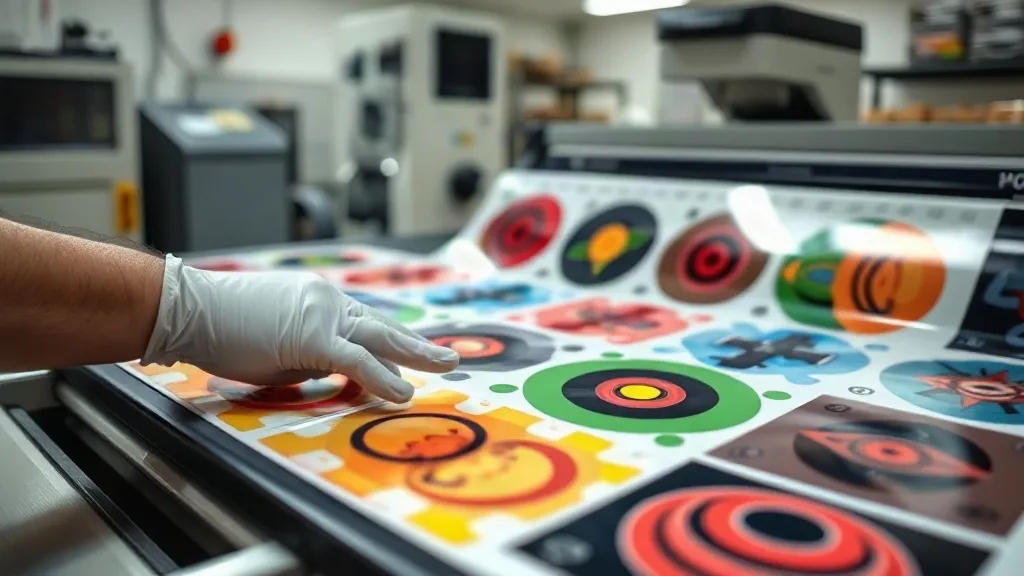
If you're in the custom apparel business, you know that time is money. Every minute spent arranging transfers individually eats into your profit margin. That's where the DTF Gangsheet comes in. By grouping multiple designs onto a single sheet, you can print, press, and ship faster than ever. But are you using gangsheets to their full potential? In this guide, we'll explore how to maximize efficiency, avoid common pitfalls, and get the most out of your DTF printer.
What Exactly Is a DTF Gangsheet?
A DTF gangsheet is a single sheet of transfer film that contains multiple designs arranged together. Instead of printing each design separately, you impose them onto one large sheet, hence the term 'gang' (group) sheet. This method is a game-changer for print shops that handle small to medium-sized orders, as it drastically reduces setup time and material waste.
Unlike traditional screen printing, DTF (Direct-to-Film) printing doesn't require separate screens for each color or design. You can print full-color, photographic-quality images with fine details and gradients, all on one sheet. The gangsheet approach takes this flexibility further by allowing you to combine different designs, sizes, and even customer orders into a single print run.
Why Gangsheets Are a Smart Choice for Your Shop
Let's break down the key advantages:
- Time efficiency: Printing one large sheet is faster than printing multiple small sheets. You load the film once, send the job, and let the printer work while you attend to other tasks.
- Cost savings: DTF film and powder are consumed more efficiently when you maximize the printable area. Gangsheets help you use every inch, reducing waste and lowering your cost per transfer.
- Consistency: When you print multiple designs on the same sheet, they undergo identical conditions (ink, powder, curing), ensuring consistent quality across the board.
- Versatility: You can mix and match designs for different garments or clients on one sheet, making it ideal for sample packs, small batches, or personalized orders.
But to reap these benefits, you need to master the art of gangsheet creation. It's not just about throwing designs together; it requires careful planning and organization.
How to Create the Perfect Gangsheet: Step-by-Step
Creating a gangsheet that prints flawlessly and is easy to handle requires attention to detail. Follow these steps:
1. Plan Your Layout
Start by determining the total printable area of your DTF film. Common widths are 13, 17, and 24 inches, but the length can be customized. Use design software like Photoshop, Illustrator, or dedicated RIP software to arrange your designs. Leave a small gap (about 0.25 inches) between designs to prevent color bleeding and to make cutting easier.
2. Optimize for Cutting
If you're using a cutting machine or doing manual cutting, add registration marks or cut lines. Group similar sizes together to streamline the cutting process. For example, place all small logos in one area and larger prints in another.
3. Consider the Fabric and Application
Different fabrics may require slightly different settings. If you're printing for a variety of garments, group designs by fabric type or color to avoid confusion during pressing. Also, think about the order of pressing: you might want to press all white garments first, then dark ones, to avoid contamination.
4. Check Resolution and Color Mode
Ensure all designs are in CMYK color mode at 300 DPI for optimal print quality. RGB files can cause color shifts. Also, make sure your printer's color profile is correctly set up.
5. Print, Powder, and Cure
Once your gangsheet is ready, print it using your DTF printer. While still wet, apply adhesive powder evenly, shake off excess, and cure using a heat press or oven according to your powder's specifications. The entire sheet is then ready to be cut and pressed onto garments.
Common Mistakes to Avoid with DTF Gangsheets
Even experienced printers can slip up. Here are some pitfalls to watch out for:
- Overcrowding: Leaving too little space between designs can cause ink to spread and ruin fine details. Always maintain a safe margin.
- Inconsistent powder application: Too much powder leads to a stiff, plastic-like feel; too little results in poor adhesion. Use a powder shaker for even coverage.
- Ignoring film orientation: DTF film has a coated side and a non-coated side. Printing on the wrong side will ruin the film. Always check that the coated side is facing up.
- Neglecting maintenance: Your printer needs regular cleaning and maintenance to produce consistent results. A clogged printhead can spell disaster for a large gangsheet.
By being mindful of these issues, you'll save time and materials.
Advanced Tips for Power Users
Ready to take your gangsheet game to the next level? Try these advanced techniques:
Nesting Software
Invest in nesting software that automatically arranges designs to minimize wasted space. This is especially useful if you're printing many small items.
Roll Printing
Instead of sheets, consider using a roll-to-roll DTF printer. You can print continuous gangsheets, further reducing manual handling and increasing throughput.
Color Management
Use ICC profiles tailored to your printer, ink, and film combination. Consistent color across different gangsheets is crucial for brand consistency.
Frequently Asked Questions
How many designs can I fit on a DTF gangsheet?
The number depends on the size of each design and the dimensions of your film. For example, a 13x19 inch sheet can hold about 20 small logos (2x2 inches) with spacing. Use design software to calculate the best arrangement.
Can I mix different fabric types on one gangsheet?
Yes, you can print designs for different fabrics on the same sheet. However, when pressing, you'll need to adjust temperature and pressure settings for each fabric type. It's often more efficient to group by fabric type.
What's the maximum width for a DTF gangsheet?
Common DTF printer widths are 13, 17, and 24 inches. Some industrial models can go up to 60 inches. Check your printer's specifications for the maximum printable width.
How do I store unused gangsheets?
Store them in a cool, dry place away from direct sunlight. Keep them flat or roll them loosely with the printed side facing out to prevent sticking. Use a dust-free environment to avoid contamination.
Can I reuse a gangsheet?
No, DTF transfers are single-use. Once pressed, the film cannot be reused. However, you can cut the gangsheet into individual transfers and store them for later use.
Mastering the DTF gangsheet is a journey, but with practice and attention to detail, you'll see significant improvements in your workflow and bottom line. Start small, experiment with layouts, and soon you'll wonder how you ever managed without them.